
For Android and Windows · free software
Keep the video.
Find what was said.
Paste or share a link, pick a quality, and the file is yours: in a library that plays it, shows its subtitles, reads its transcript along with you, and finds the clip by any word spoken in it.
No account · No server · No ads · No tracking
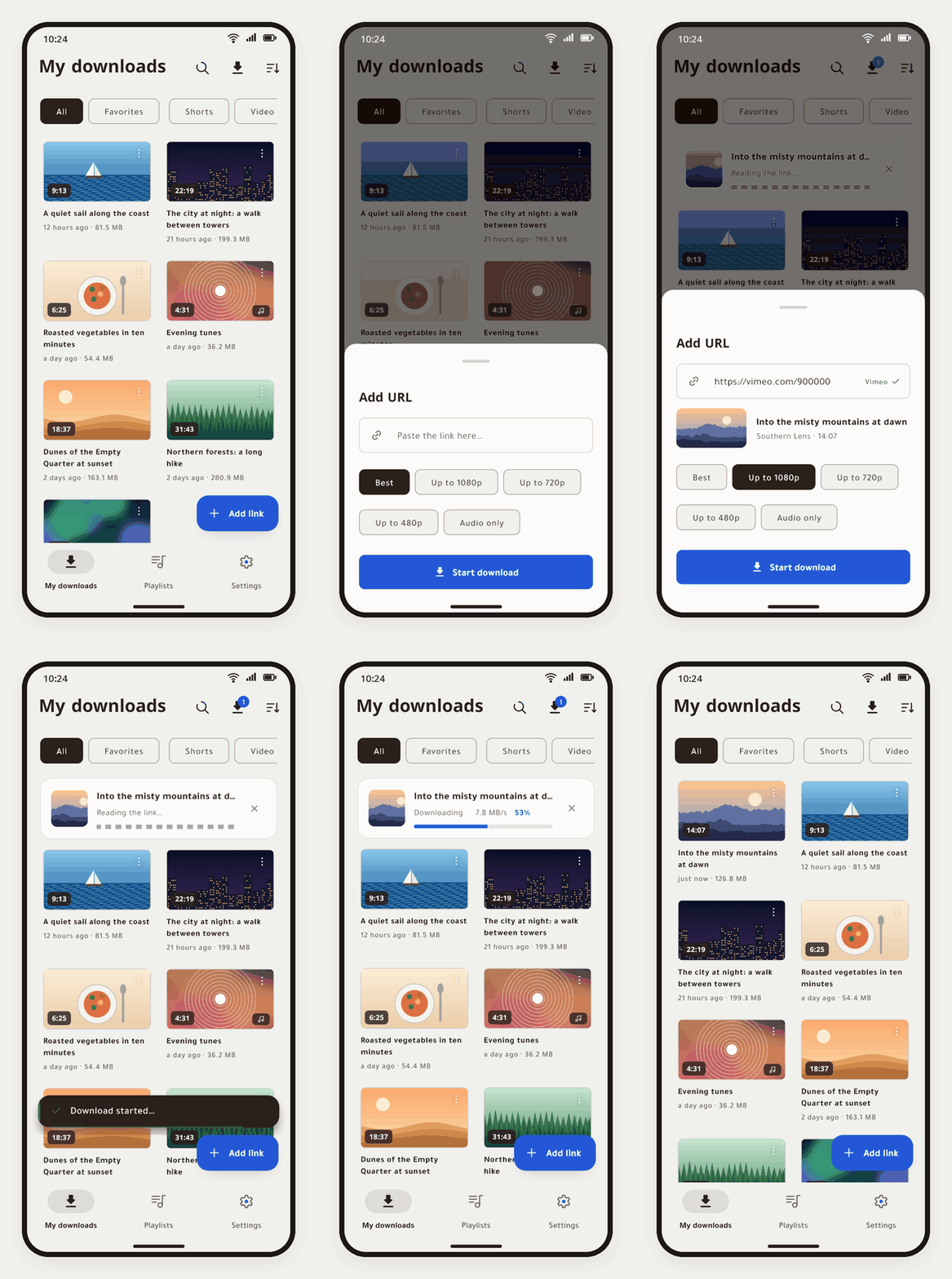
A download, start to finish
- 1
Paste or share
From YouTube, TikTok or any app: the add button notices a link already copied.
- 2
Pick a quality
Best, a ceiling from 1080p down, the sound alone, or only a part of the video.
- 3
It is yours
Saved with its cover and subtitles, in a library on your own device.
Everything in one app, on each device
-
Search by what was said
The library finds a clip by any word spoken in it, lights the word in each moment, and plays from that second.
-
Any site yt-dlp knows
At the quality you choose, or the sound alone, or only a part of the video, with subtitles in the languages you pick.
-
Players made for reading along
Video with its transcript under it, music that keeps playing in the background, shorts, picture in picture.
-
Download on the computer
Pair once by QR code; the phone sends links to Windows, watches them download, and plays the computer's library.
-
Follow channels
Windows downloads each new video by itself; the phone checks while closed and tells you what is new.
-
Twelve languages
Right-to-left first, by day and by night, on phones, tablets and Windows, following the device's own language.
-
Private by design
No account and no server of ours. Sign-ins stay on the phone; backups move between the phone and the computer.
-
Looks after itself
yt-dlp updates and repairs itself, and the apps update from this project's releases, checked before they install.
See it on every screen
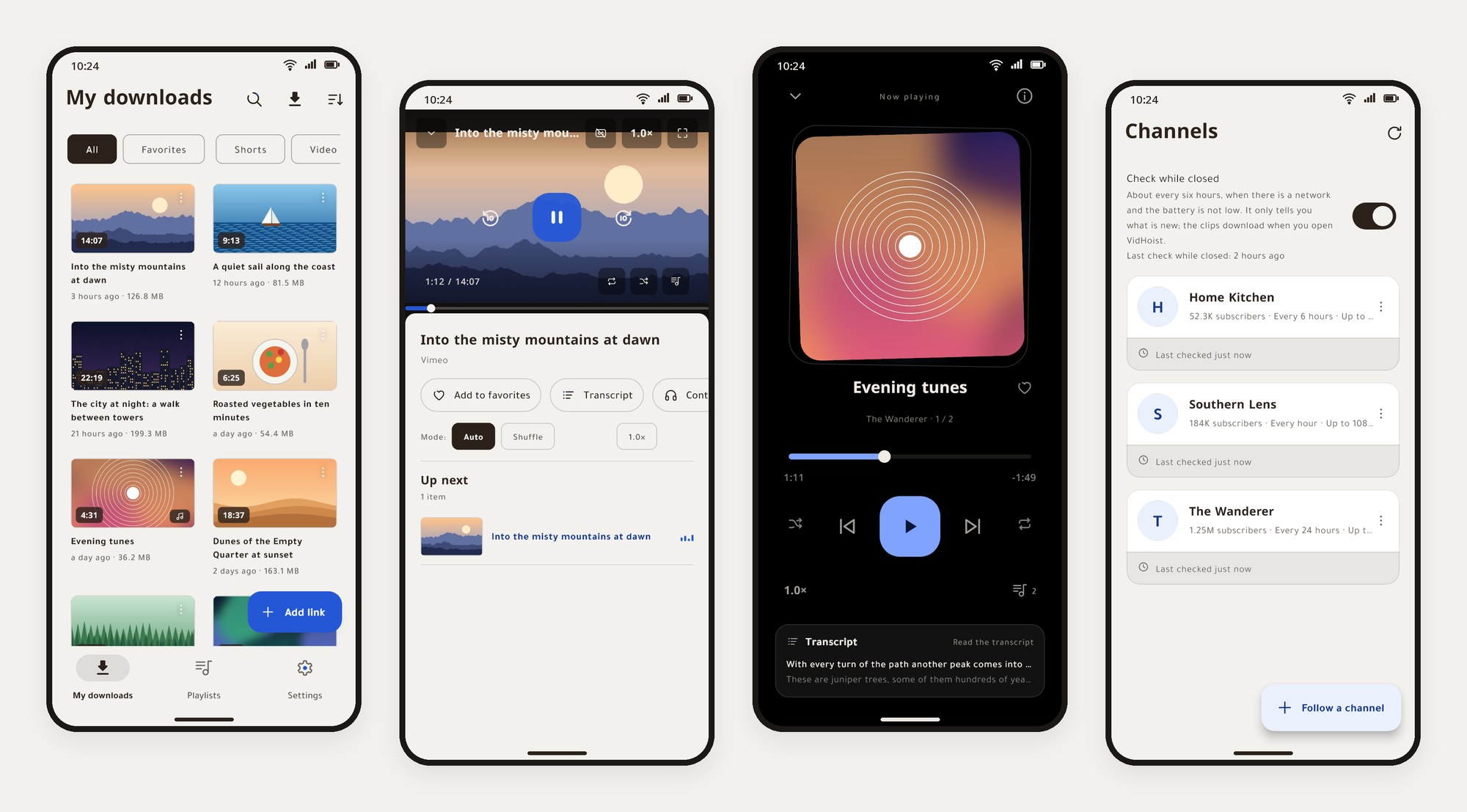
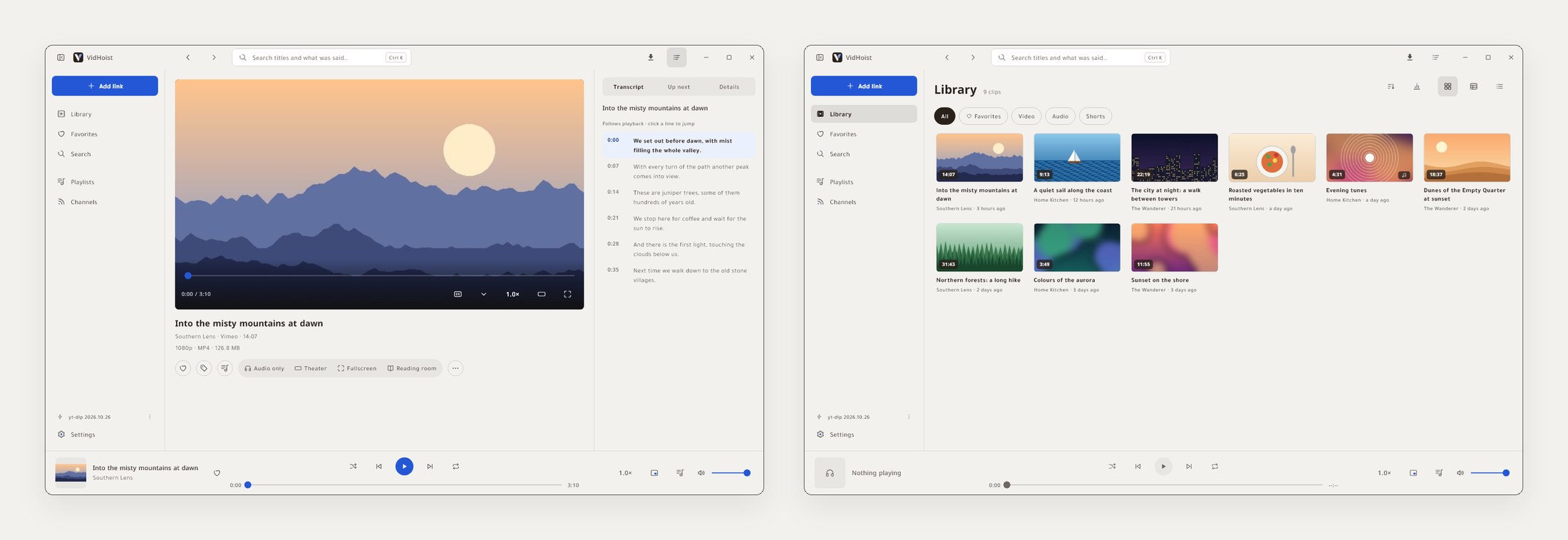
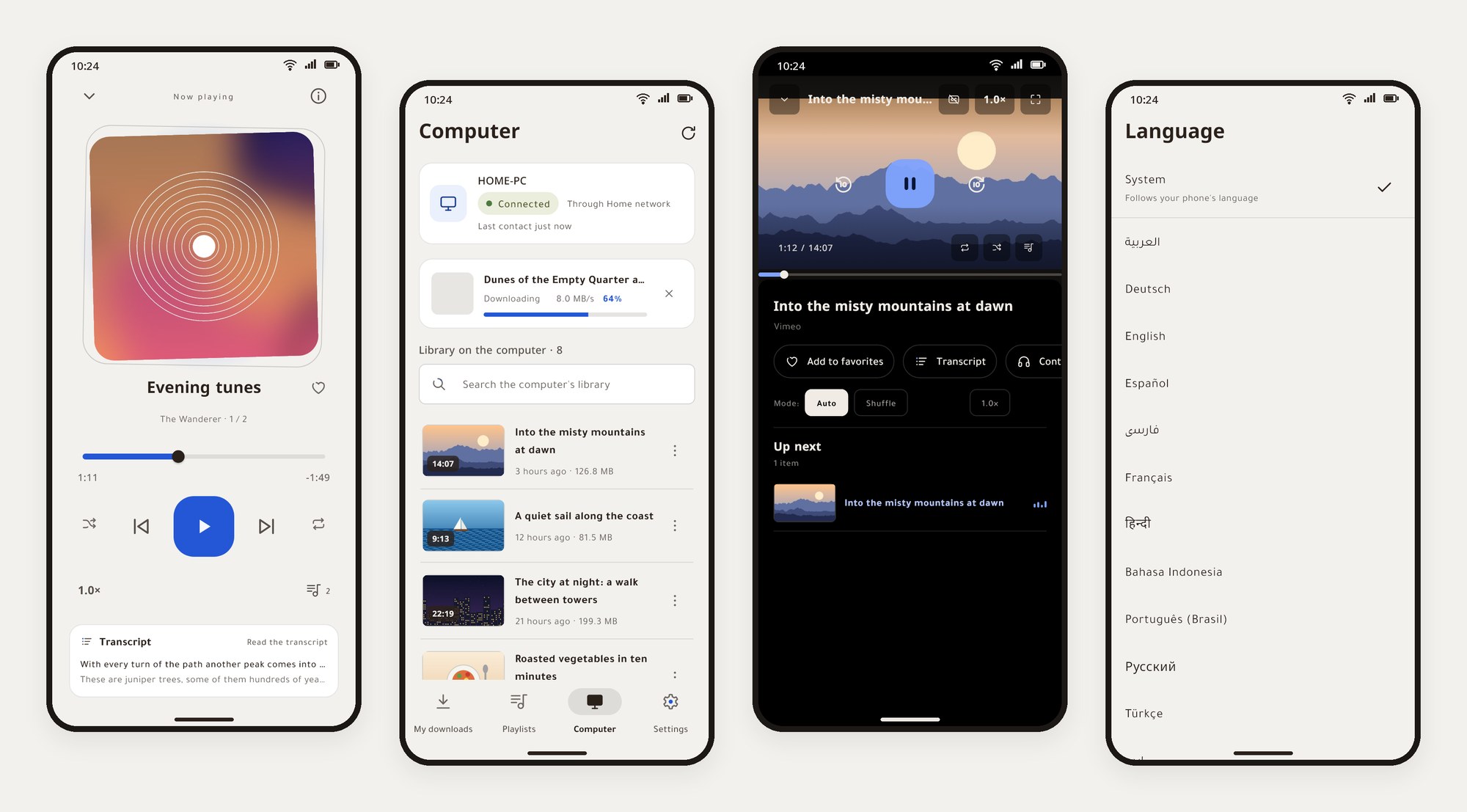
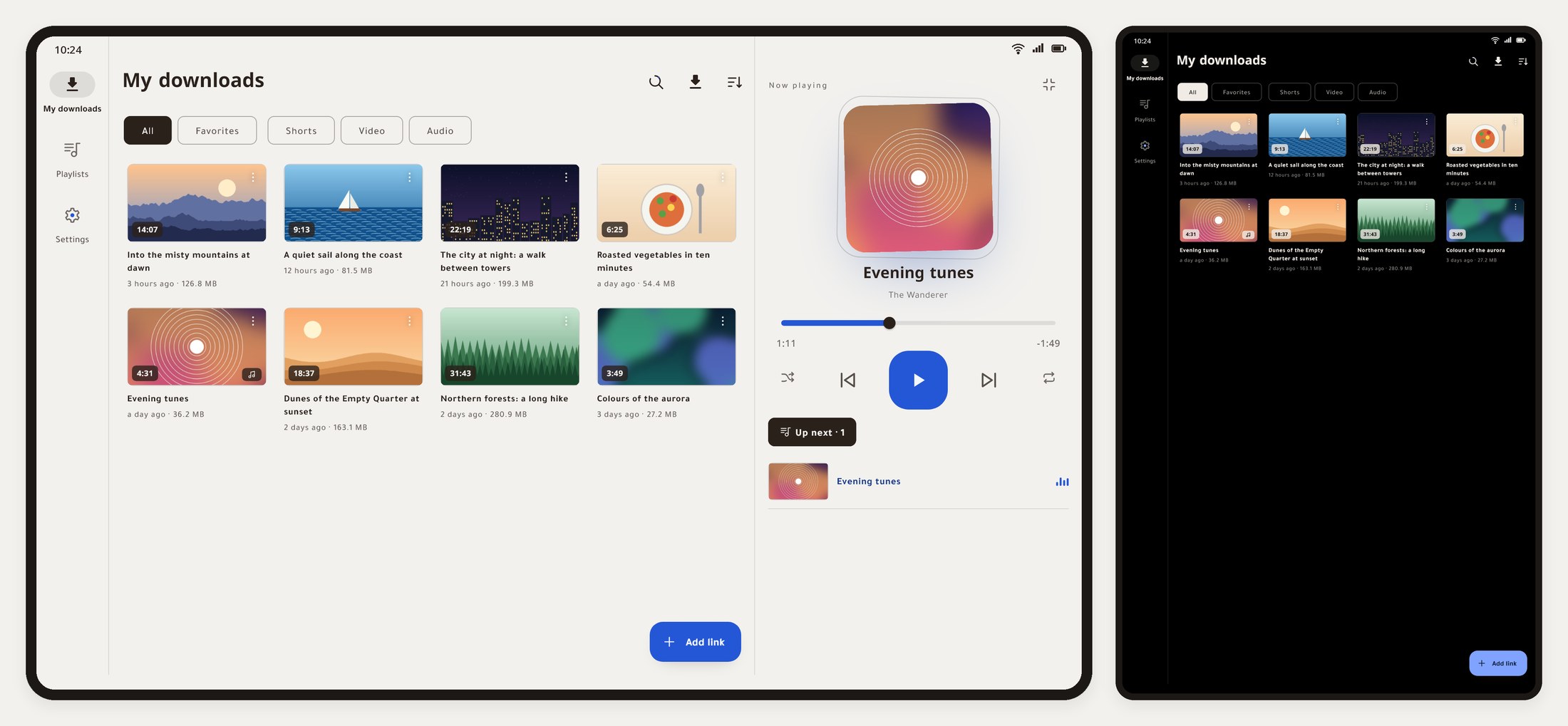
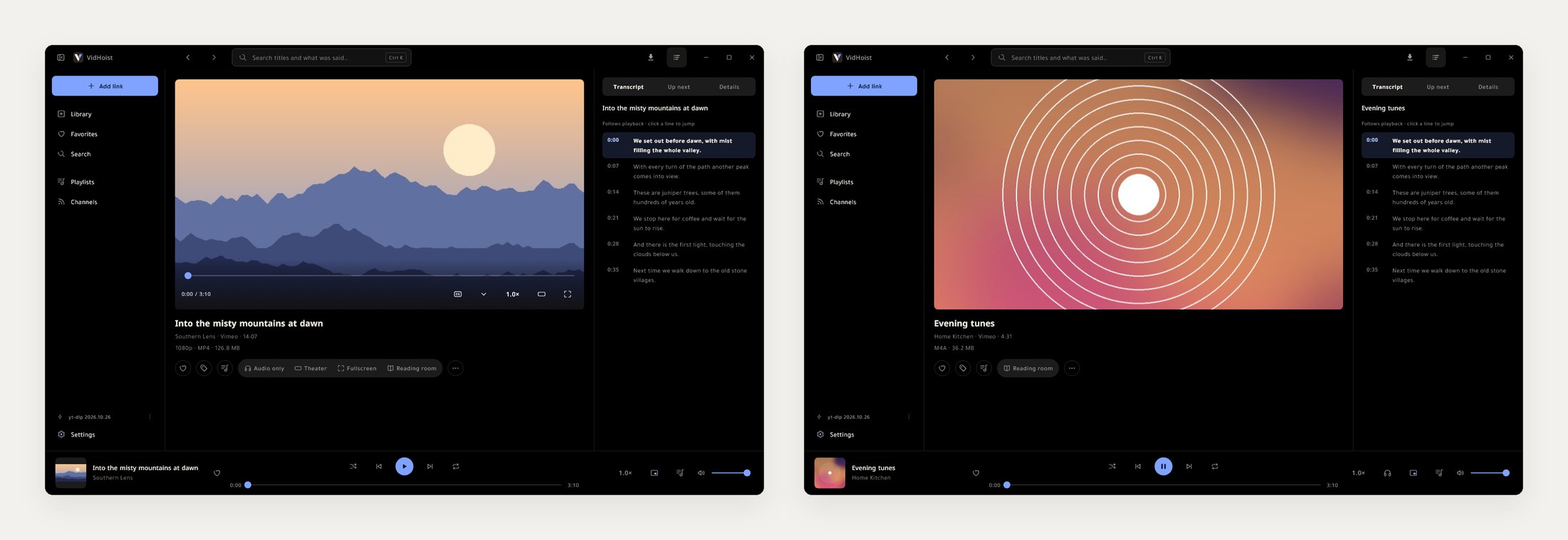
What you download stays between you and the site.
VidHoist talks to the sites you download from, to GitHub to check for an update, and to your own computer if you pair it. Nothing else: no account, no analytics, no server of the project's own.
Download
From the latest release on GitHub. Both apps check for a new release and offer it in place.
On Android, Obtainium can also follow the releases here and install each new one.
The APKs are signed with VidHoist's own key. SHA-256: 93:CF:C4:66:1F:3F:42:92:24:F5:85:D3:F8:6A:96:D2:72:06:21:DB:90:64:A1:A0:13:41:88:F7:2B:A5:3B:F2