MeTube Mobile
Two Android apps and a Windows app for a self-hosted MeTube server — the yt-dlp web downloader you already run on your NAS or homelab. Send a link from your phone or your computer, and either keep the file on the server and stream it, or pull it to the device and let the server clean itself up.
Listed in MeTube's own README, under Sending links to MeTube. There is no Play Store build, because Play does not allow this category.

New: MeTube Ember, on Windows
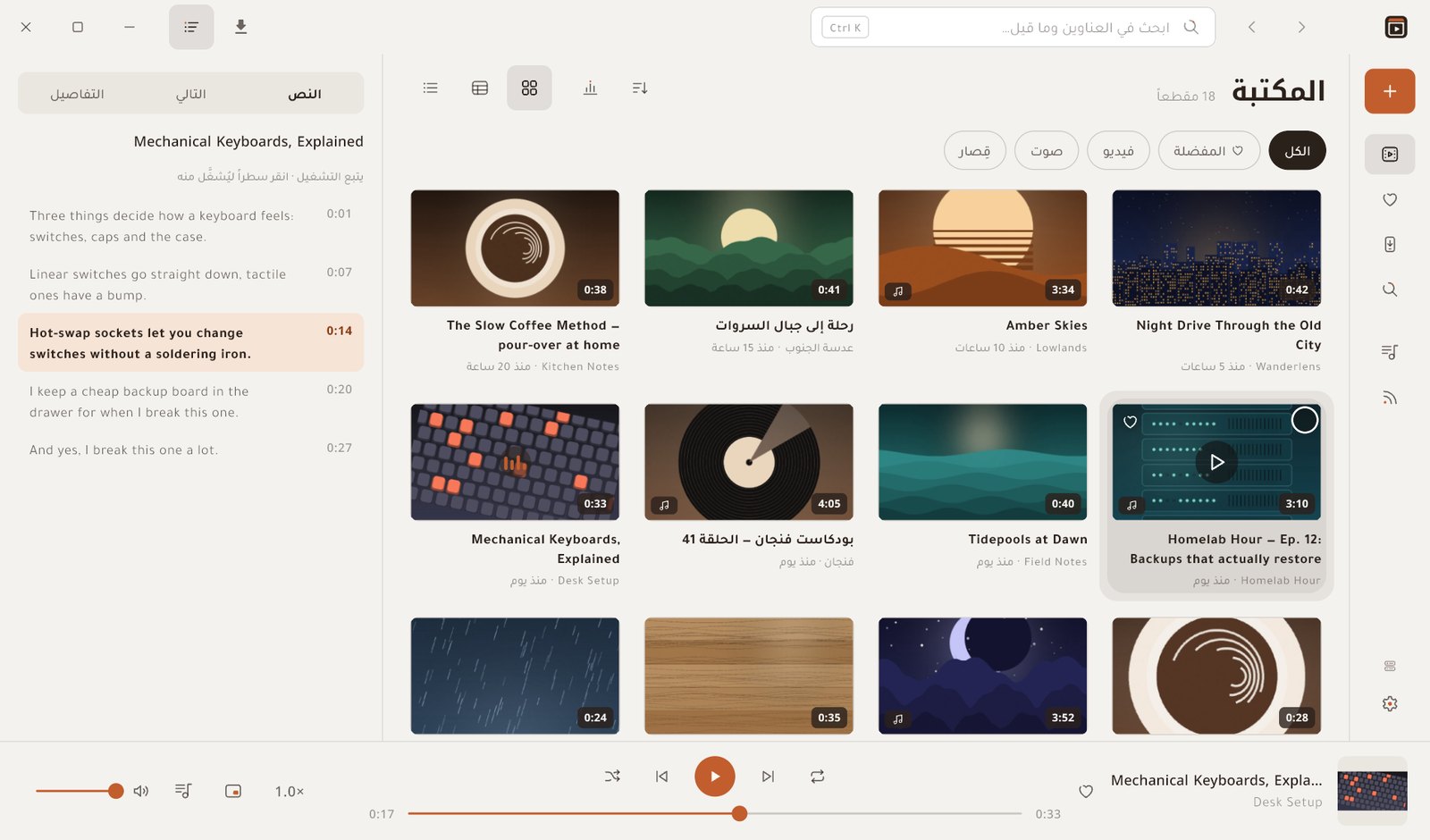
The owner's app on a computer, reading the same server as MeTube Super: the library as a grid, a table or a compact list; the transcript following the video beside it; Ctrl+K to search the titles and what was said; a reading room, a mini window, channels and their arrivals, and copies to your computer by download, by drag to Explorer, or with Ctrl+Shift+C. It installs for your user only, with no administrator rights, and updates itself.

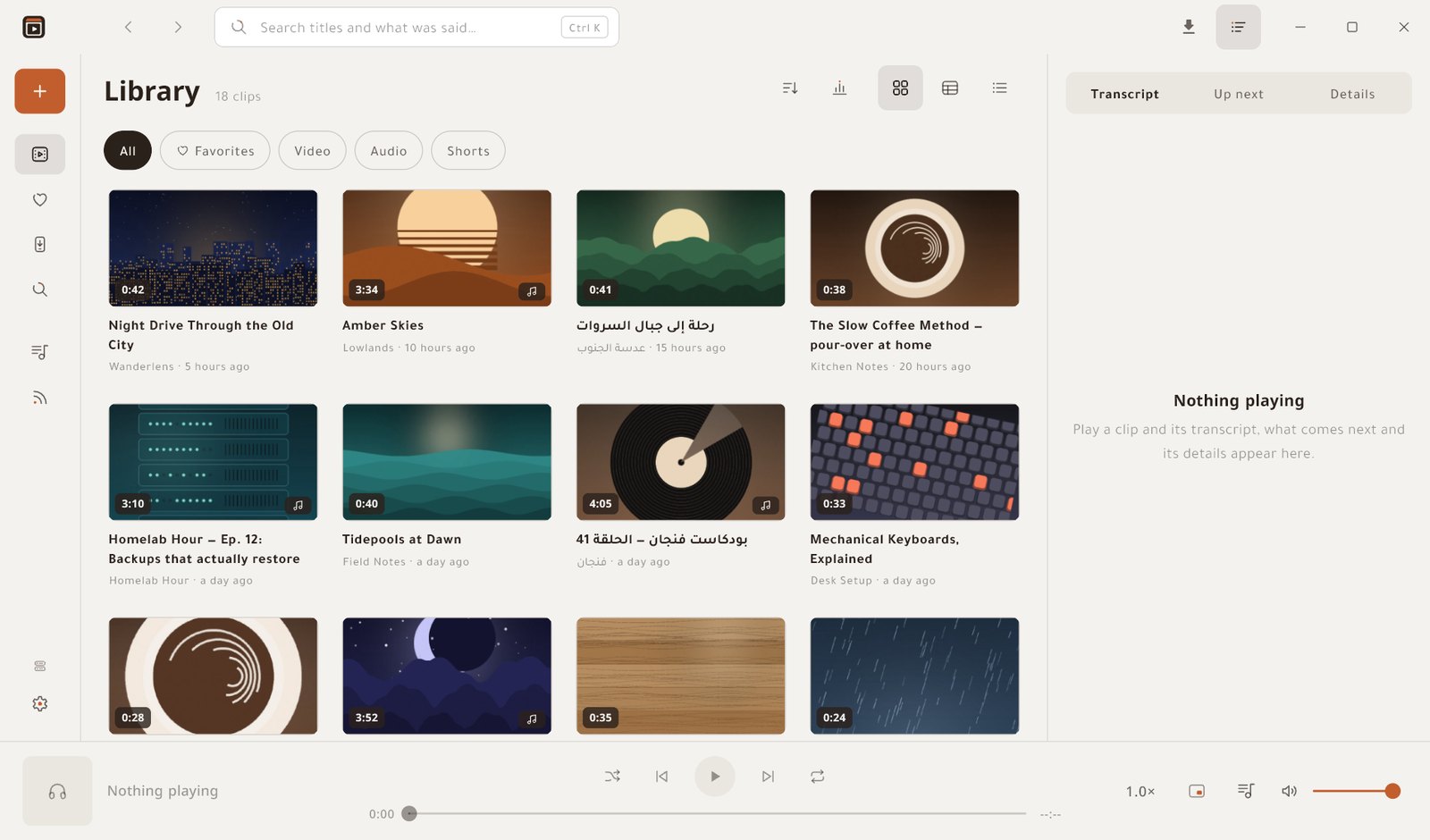
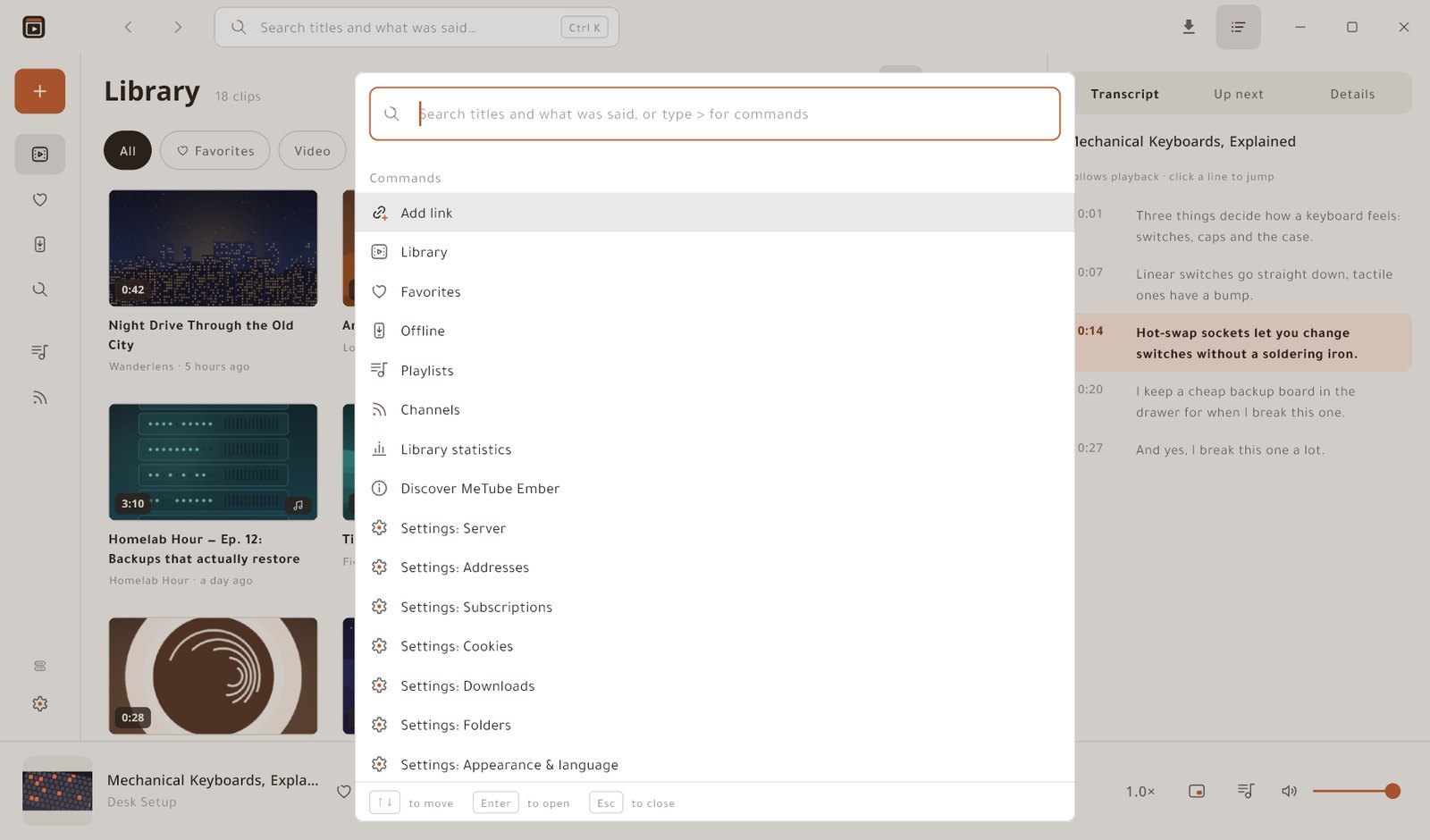
A look inside
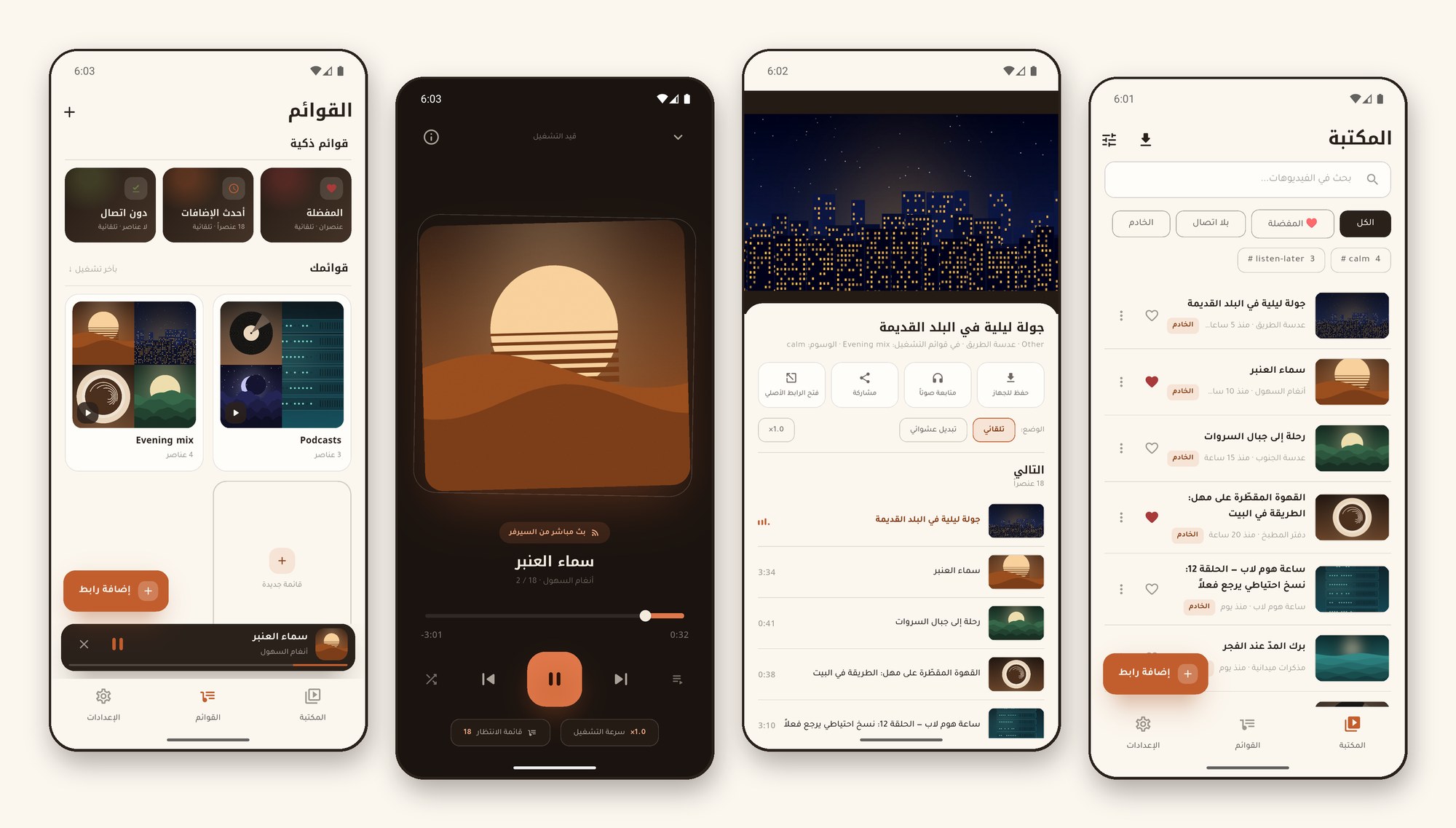
Every title, channel and cover below is invented for these screenshots; no real server or account appears in them.

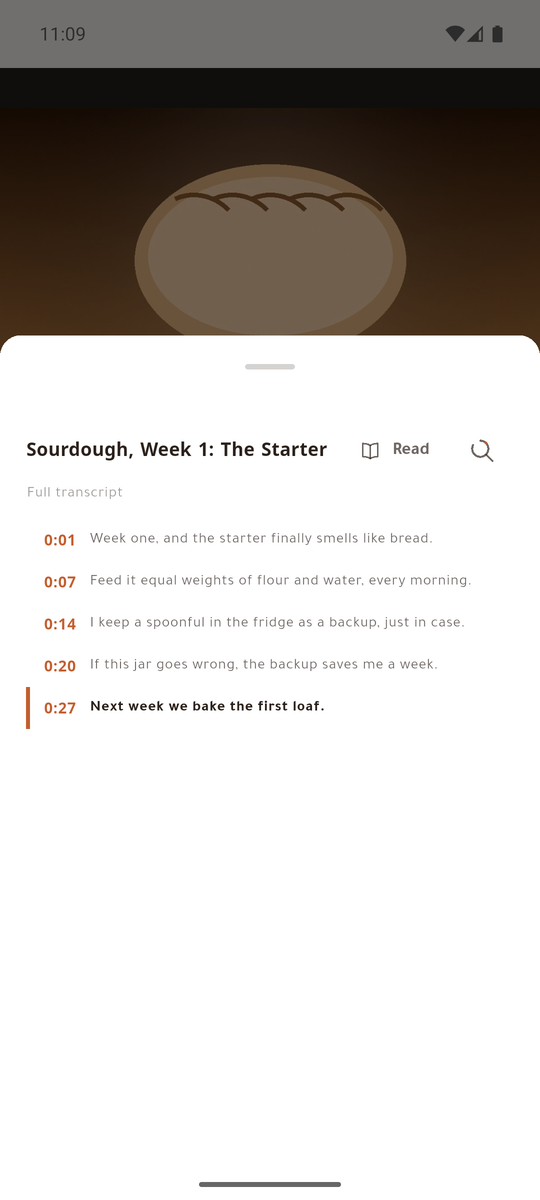
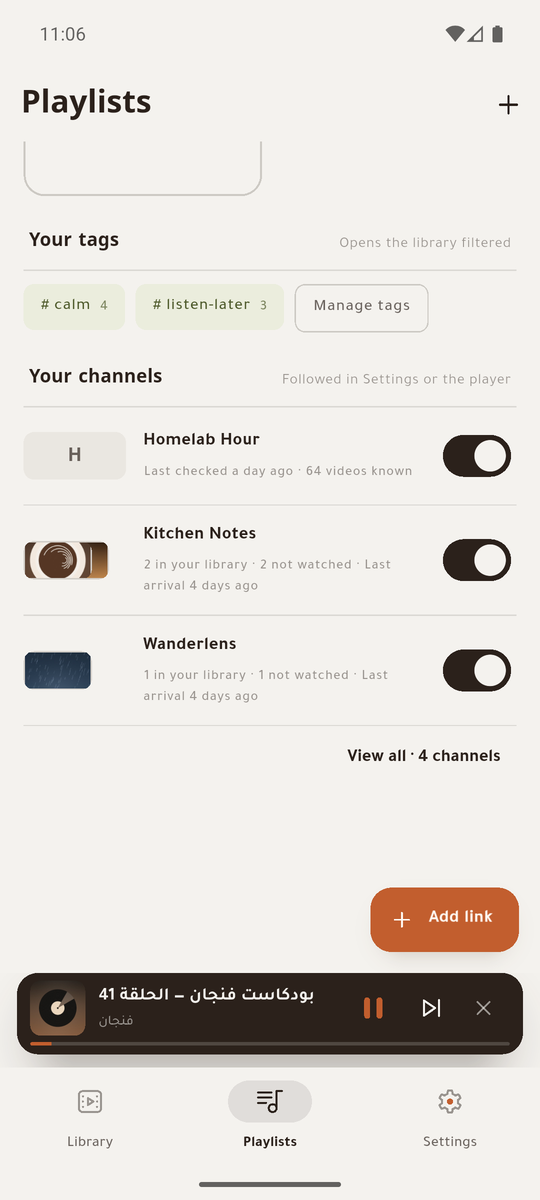
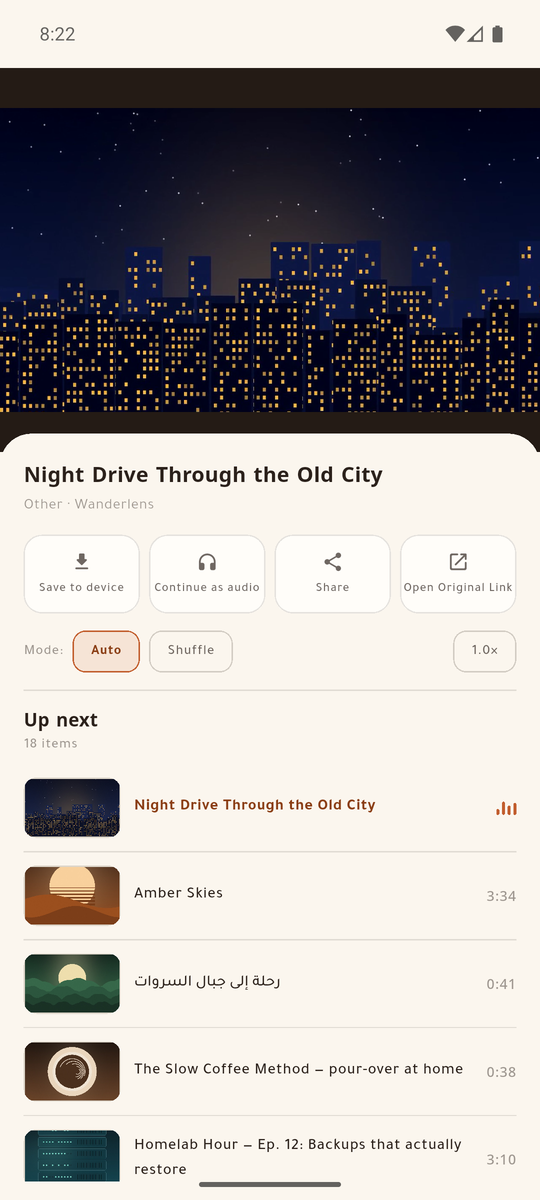


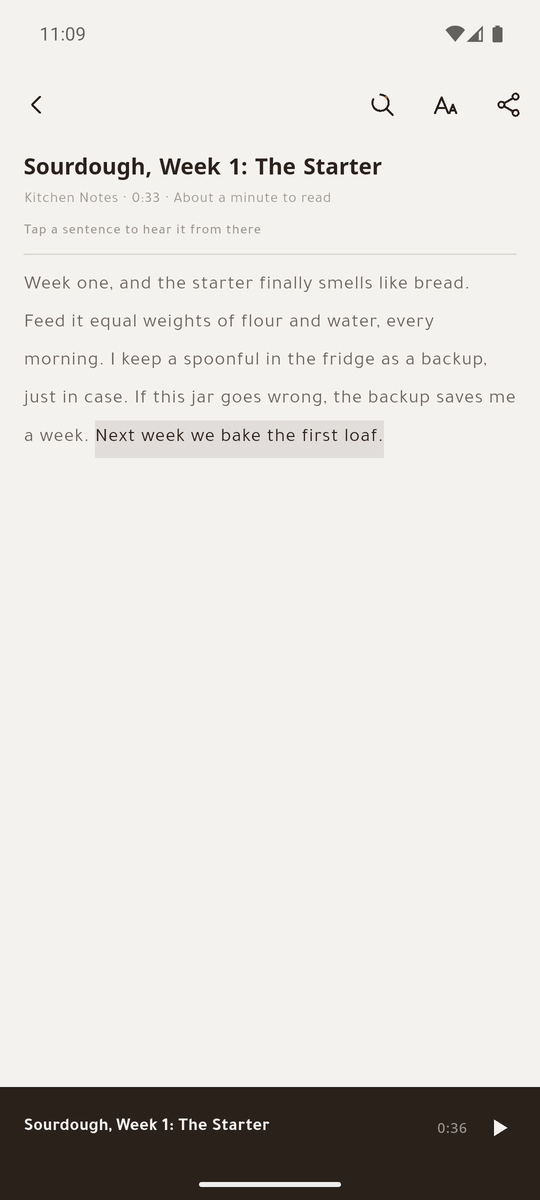
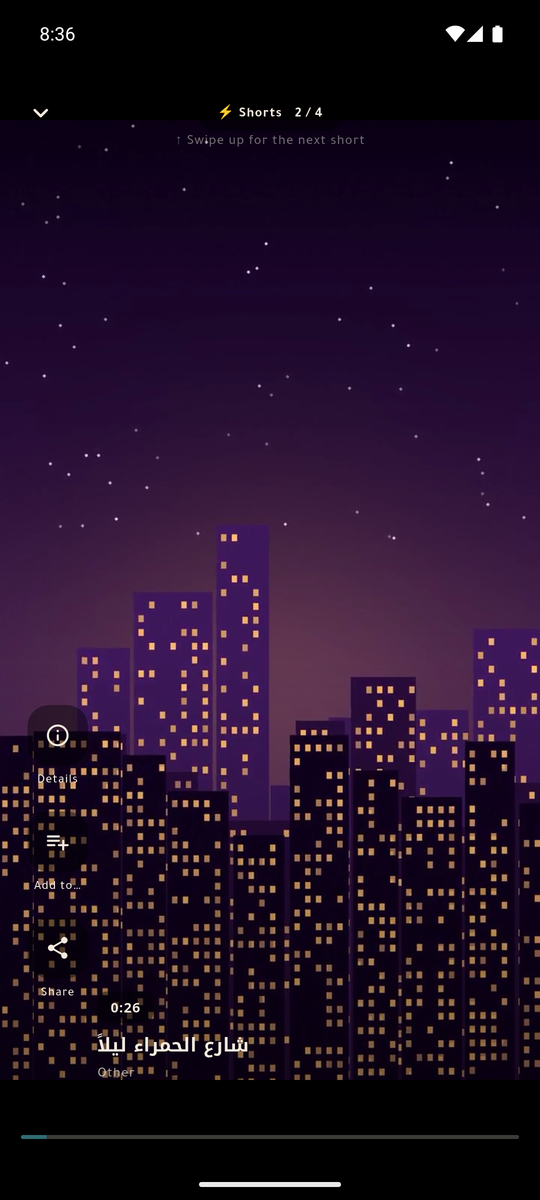
Swipe sideways for more →
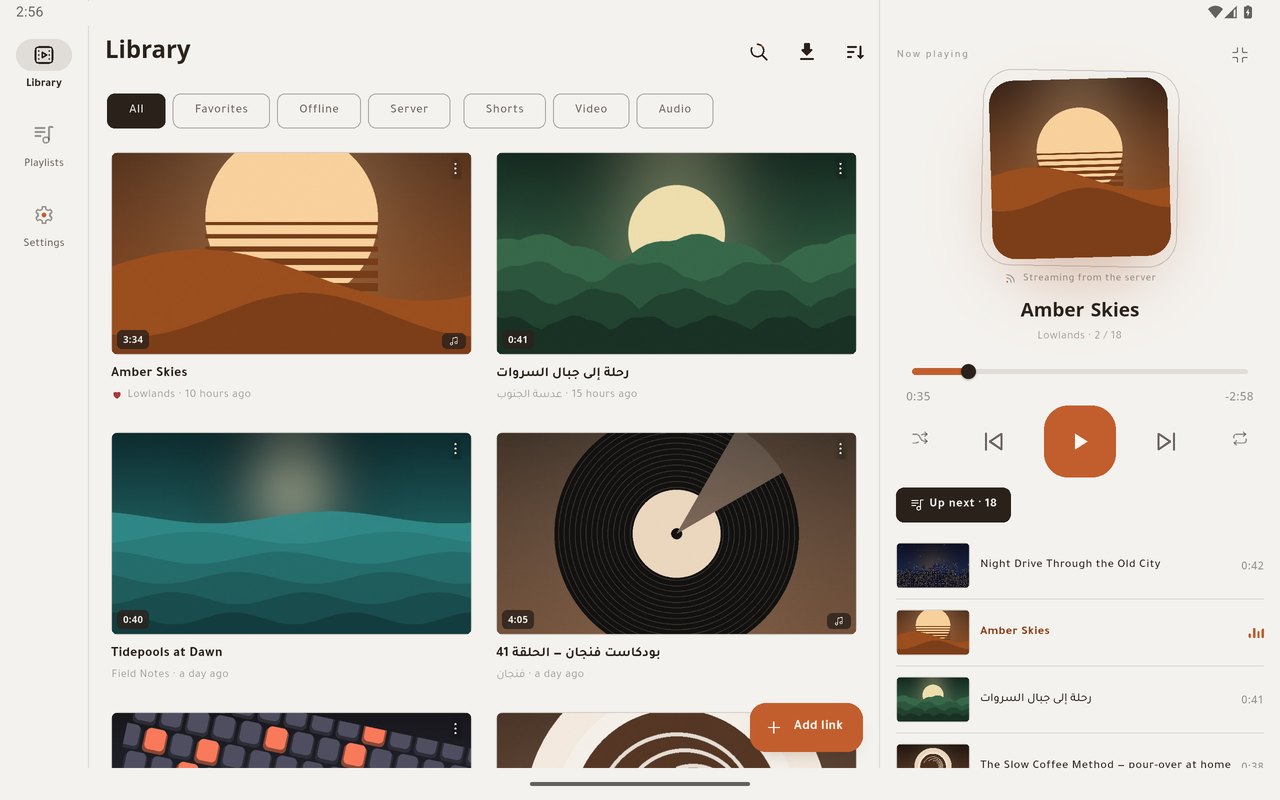
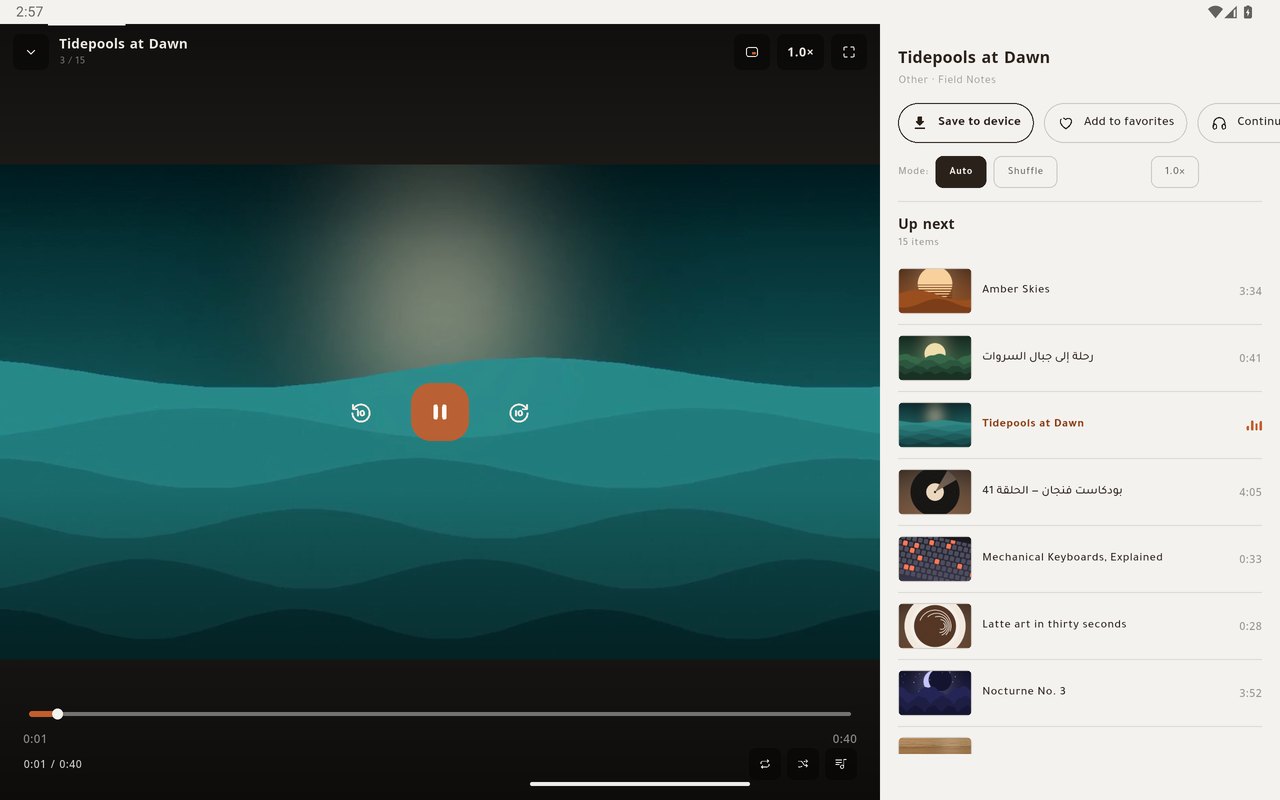
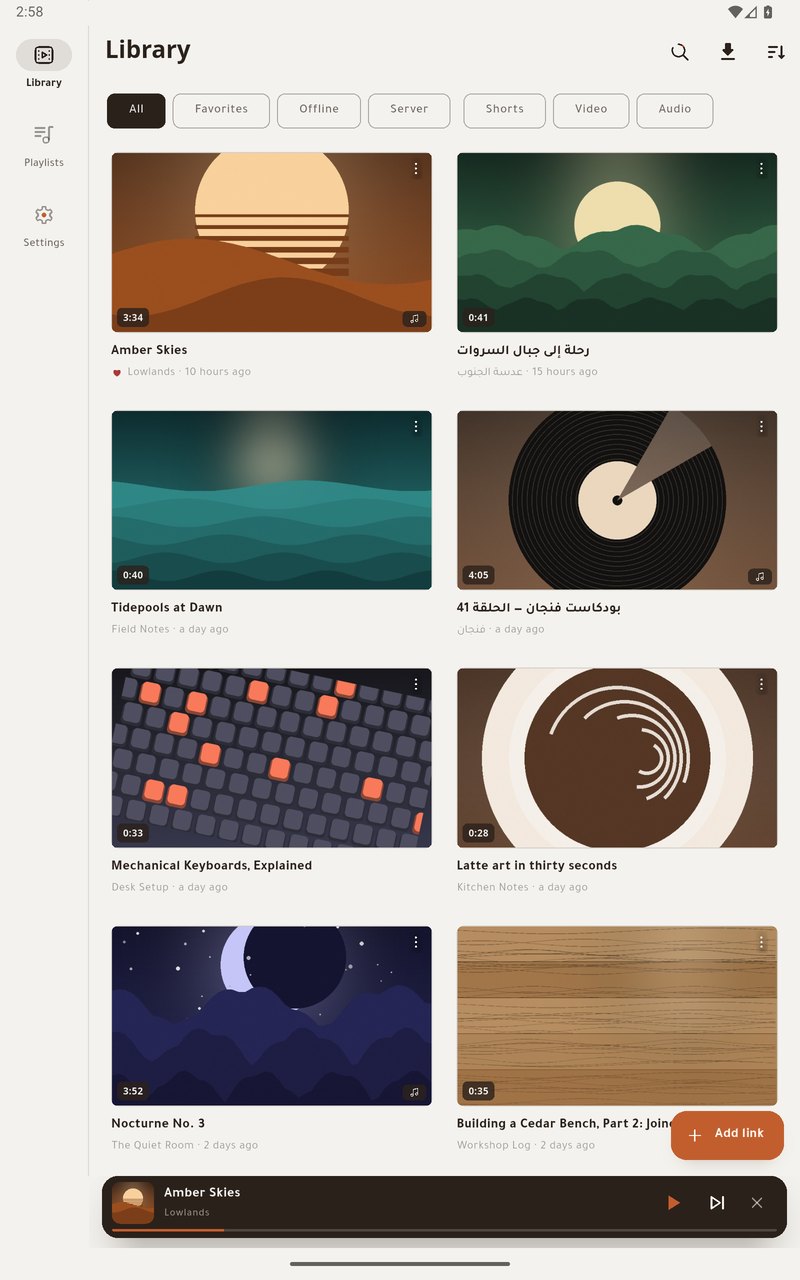
On a tablet
Both apps use a tablet's room, upright or on its side, instead of stretching the phone layout: a side rail for navigation, settings in two panes, and the library in columns or as a table. Small 8-inch tablets count too, and phones keep their own layout.
Which app is for you
| Question | MeTube LiteAndroid · for the family | MeTube SuperAndroid · for the server's owner | MeTube EmberWindows · for the server's owner |
|---|---|---|---|
| After a download | Pulls the file to the phone, then clears it from the server. | Keeps it on the server. | Keeps it on the server, and copies it to the computer when you ask. |
| Library | What is on the phone. | The server's history and the phone's files, in one. | The same library, as a grid, a table or a compact list. |
| Playback | Local files. | Streams from the server, and plays local files. | Beside the transcript, or in a mini window on top. |
| Search by what was said | —Not in Lite | Yes | Yes — with Ctrl+K |
| Channel subscriptions | —Not in Lite | Yes — a notice says what arrived | Yes — a notice says what arrived |
| Sync | —Not in Lite | Optional, through a folder you choose. | Optional, with Super, through the same folder. |
| Also has | Wi-Fi-only downloads, and it finishes at the next launch what a closed app could not. | Subtitles over the video, tags, batch downloads, make available offline, and two server addresses it switches between. | A reading room, drag a clip to Explorer, and a "To Ember" button for your browser. |
Search reads YouTube's subtitles when you add a clip, and the subtitle files your server can write beside every download, subscriptions and other sites included. They are separate apps: the two phone apps install side by side, and Ember needs Windows 10 or 11 on x64.
MeTube Lite, start to finish
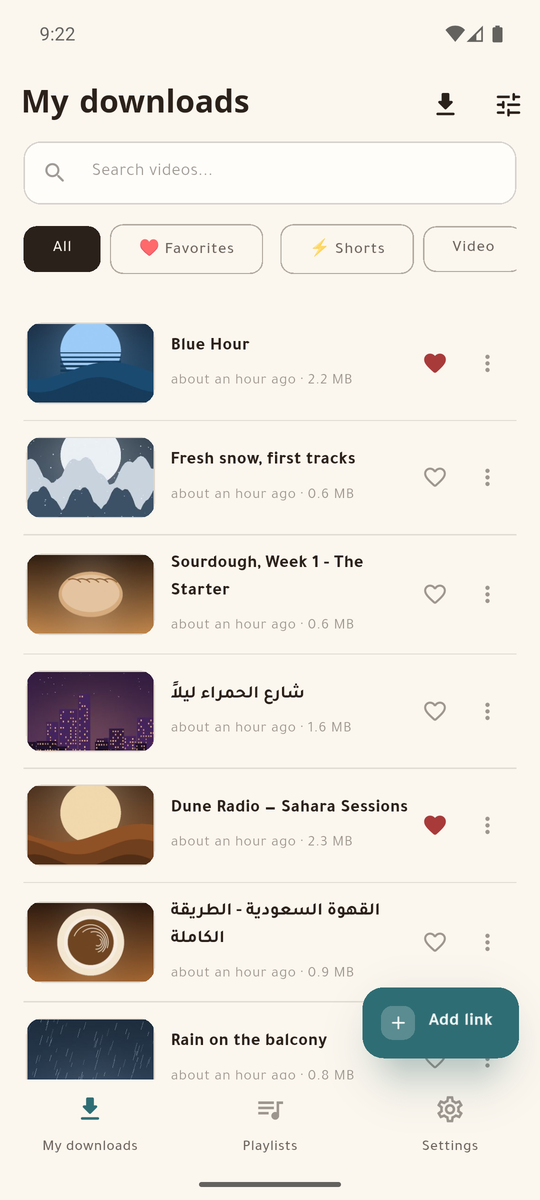
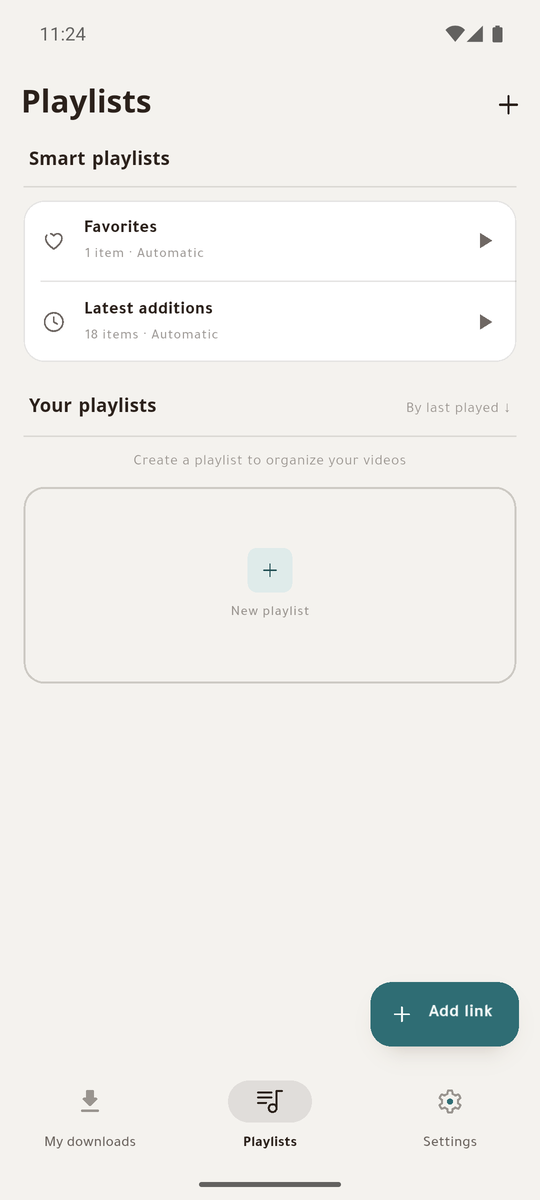
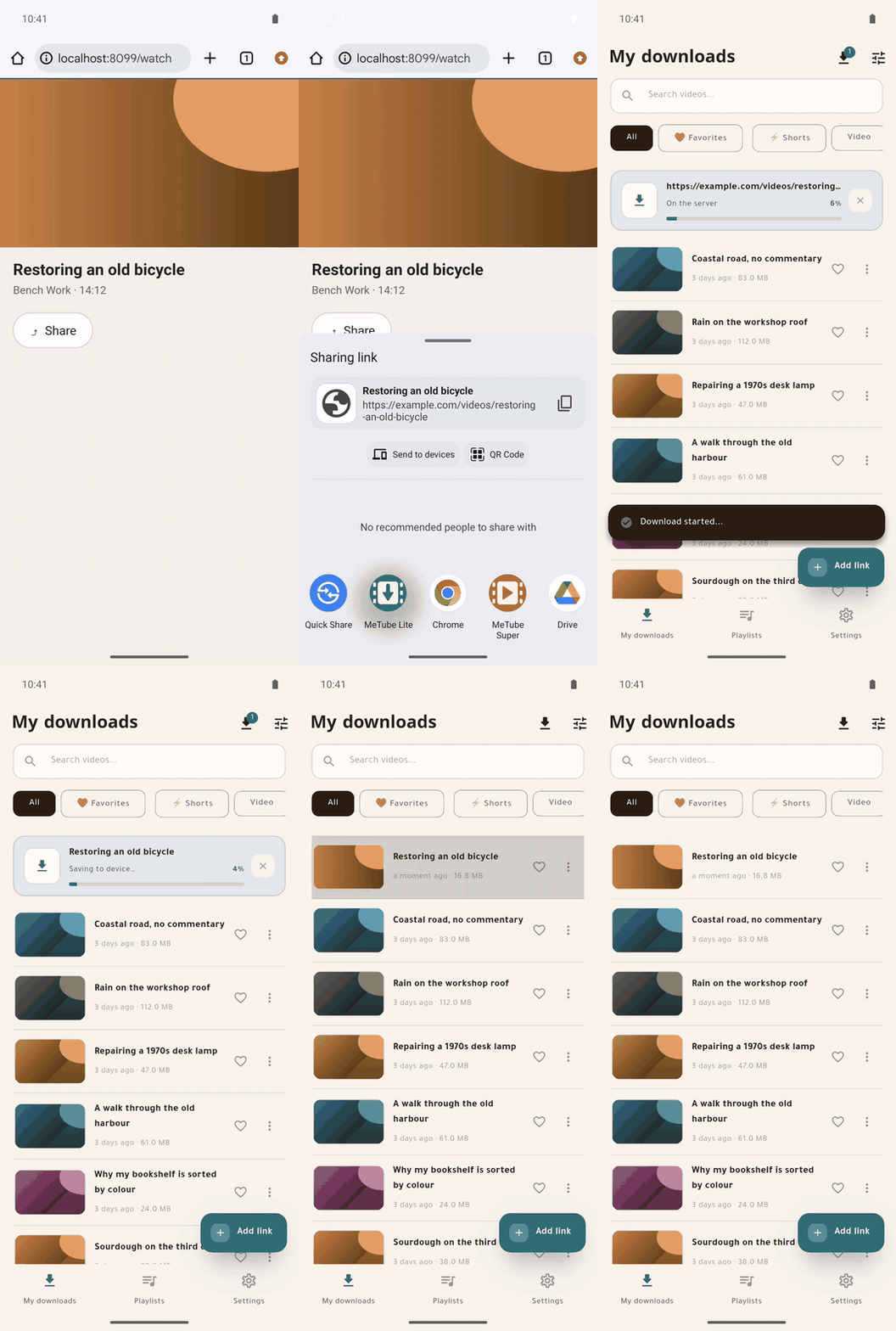
Share a link from any app. The server downloads it, the phone pulls the file, and the server is cleared — so a shared family server does not fill up.
- Links from Android's share sheet, even from a cold start, and several at once.
- A four-stage pipeline — add, follow, pull, clean — with live progress and a cancel that leaves nothing behind.
- Reaches the server at home or through a tunnel, and can hold downloads to Wi-Fi.
Shared by all three
No server yet?
These are clients: they download nothing by themselves. Every file is fetched by your own MeTube server, and that server runs anywhere Docker runs — a PC, a NAS, a Raspberry Pi:
docker run -d -p 8081:8081 \
  -v /path/on/your/disk/downloads:/downloads \
  -e DELETE_FILE_ON_TRASHCAN=true \
  ghcr.io/alexta69/metube
Then point the app at that address. Four server settings change how the apps behave, and the absence of each looks like a defect in the app; they are listed, with the symptom each one causes, in the server setup guide.
Links
- Latest release — one file per app: two APKs and a Windows installer
- Repository — a Flutter monorepo, GPL-3.0
- Changelog
- Issues — in Arabic or English
بالعربية
تطبيقان لأندرويد وتطبيق لويندوز لسيرفر MeTube الذي تستضيفه بنفسك. أرسل الرابط من جوالك أو حاسوبك، ثم إما أن يبقى الملف على السيرفر فتشغّله بثّاً، أو يُسحب إلى جهازك ويُنظَّف السيرفر تلقائياً.
| السؤال | MeTube Liteأندرويد · للعائلة | MeTube Superأندرويد · لمالك السيرفر | MeTube Emberويندوز · لمالك السيرفر |
|---|---|---|---|
| بعد التنزيل | يسحب الملف إلى الجوال ثم يحذفه من السيرفر. | يُبقيه على السيرفر. | يُبقيه على السيرفر، وينسخه إلى الحاسوب حين تطلب. |
| المكتبة | ما هو على الجوال. | سجلّ السيرفر وملفات الجوال في مكتبة واحدة. | المكتبة نفسها، شبكةً أو جدولاً أو قائمة مضغوطة. |
| التشغيل | الملفات المحلية. | بثّ من السيرفر، وتشغيل محلي. | بجانب النص، أو في نافذة مصغّرة فوق كل شيء. |
| البحث بما قيل | —ليس في Lite | نعم | نعم — بالاختصار Ctrl+K |
| اشتراكات القنوات | —ليس في Lite | نعم — وإشعار بما وصل | نعم — وإشعار بما وصل |
| المزامنة | —ليس في Lite | اختيارية عبر مجلد تختاره. | اختيارية مع Super عبر المجلد نفسه. |
| وفيه أيضاً | قصر التنزيل على Wi-Fi، وإكمال ما لم يكتمل عند الفتح التالي. | ترجمة فوق الفيديو، ووسوم، وتنزيل دفعات، و«إتاحة دون اتصال»، وعنوانان للسيرفر بتبديل تلقائي. | غرفة القراءة، وسحب المقطع إلى المستكشف، وزر «إلى Ember» في المتصفح. |
لا تملك سيرفراً؟ التطبيقان لا ينزّلان شيئاً بنفسيهما: سيرفر MeTube هو من ينزّل، وهو يعمل بأمر Docker واحد على أي كمبيوتر أو راسبيري باي — والأمر مكتوب في الأعلى. ثم وجّه التطبيق إلى عنوانه.
تنزيل الملفات · المصدر على GitHub · دليل إعداد السيرفر
طوّره Yasir Sagheer، والأسئلة والبلاغات في صفحة Issues بالعربية أو الإنجليزية.